Case Study: How a Growing Company Replaced Spreadsheet Hiring With a Structured Pipeline

Acrapath Team

An illustrative case study of a 150-person company whose HR team tracked hiring in scattered spreadsheets and emails, and how moving to a structured, customisable hiring pipeline improved visibility, speed and candidate experience.
- Client
- Illustrative scenario: a 150-person services company
- Industry
- Professional Services
Key results
- Every candidate visible in one pipeline
- Custom stages per role, with rejection reasons
- Faster hiring manager feedback cycles
Note: This is an illustrative case study. The company is a composite scenario shared to show how a structured hiring pipeline can help HR teams.
The situation
A 150-person professional services company hired regularly across consulting, operations and support roles. The two-person HR team tracked candidates in several spreadsheets, with feedback arriving by email, chat and phone. Hiring managers frequently asked, "Where are we with that candidate?"
The challenges
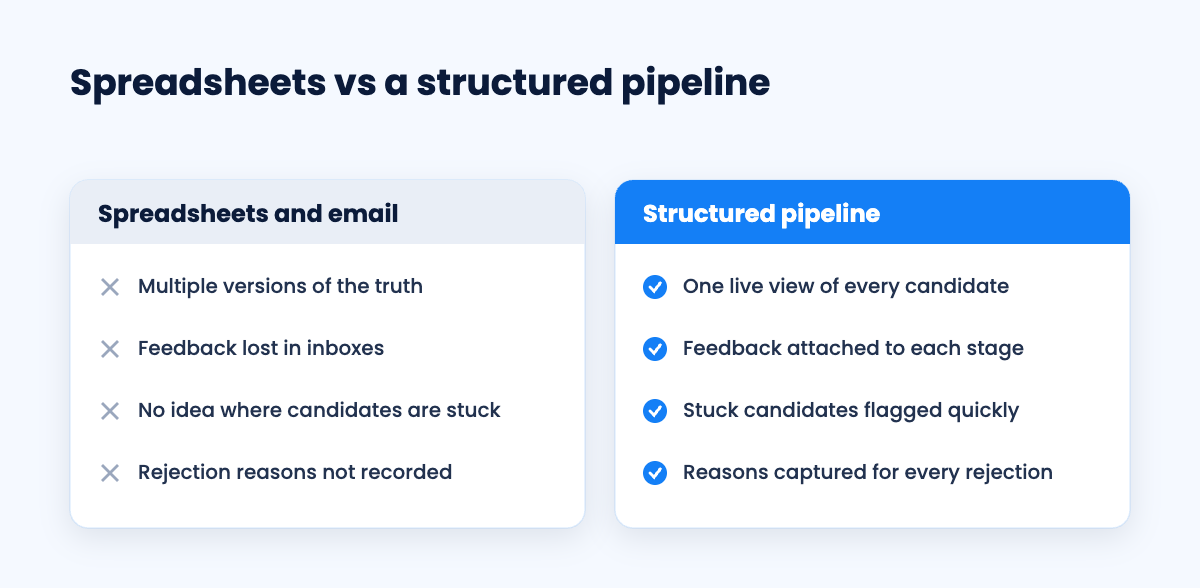
No single source of truth for candidate status
Interview feedback scattered across channels
Good candidates lost because follow-ups were missed
No data on why candidates were rejected or dropped out
The approach
1. Moving to a structured hiring pipeline
The HR team moved all open roles into the Hiring tab of the Acrapath employer dashboard, which provides a CRM-style hiring pipeline from shortlist to offer.
2. Custom stages for each role
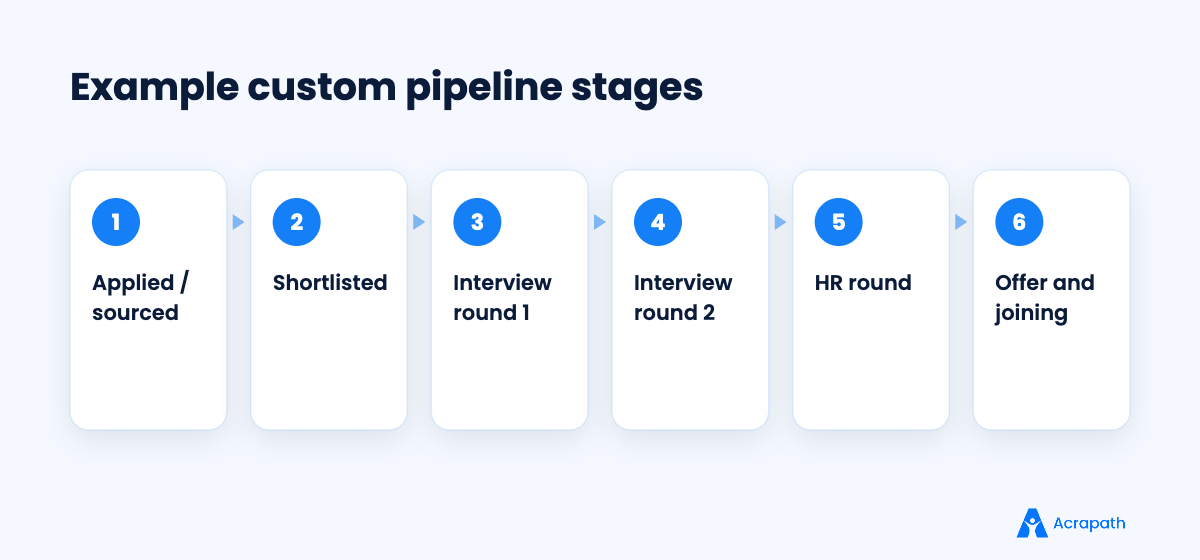
Every company's hiring process is different, and so is every role. Consulting roles had a case round; support roles had a language assessment. The team configured stages per role instead of forcing one template.
3. Recording rejection reasons
Each rejection was tagged with a reason, such as skills gap, salary mismatch, notice period or candidate withdrew. Within a few months, patterns emerged: several roles had salary ranges below market, which the team corrected.
4. Weekly pipeline reviews
HR and hiring managers spent 20 minutes each week reviewing the pipeline, focusing on candidates stuck in a stage for more than a few days.
The outcome
In this scenario, hiring managers had real-time visibility, feedback cycles became shorter, fewer candidates were lost to silence, and the HR team used rejection data to improve job descriptions and salary ranges.
Lessons for HR teams
One source of truth beats many spreadsheets.
Customise stages to how each role is actually hired.
Rejection reasons are valuable data, so capture them.
A short weekly pipeline review prevents candidates from slipping through.
Ready to organise your hiring? Use the Acrapath employer dashboard to post jobs, search Talbox and manage every candidate in a pipeline built around your process.
- #hiring pipeline
- #recruitment process
- #applicant tracking
- #HR case study
- #candidate experience
- #structured hiring
Frequently asked questions
What is a hiring pipeline?
A hiring pipeline is a structured view of every candidate for a role, organised by stage, such as shortlisted, interview rounds, HR round and offer, so teams can see progress at a glance.
Why should HR teams stop using spreadsheets for hiring?
Spreadsheets create multiple versions of the truth, scatter feedback across channels and make it hard to see where candidates are stuck. A pipeline centralises status and feedback.
Can hiring pipeline stages be customised?
Yes. Good tools let you configure stages per role, for example adding a case round for consulting roles or a language test for support roles.
Is this HR case study about a real company?
No. It is an illustrative composite scenario, shared to demonstrate how structured pipelines help HR teams.
Does Acrapath offer a hiring pipeline?
Yes. The Acrapath employer dashboard includes a Hiring tab with a customisable, CRM-style pipeline covering shortlisting, interview rounds, HR round and offer, with rejection reasons.


